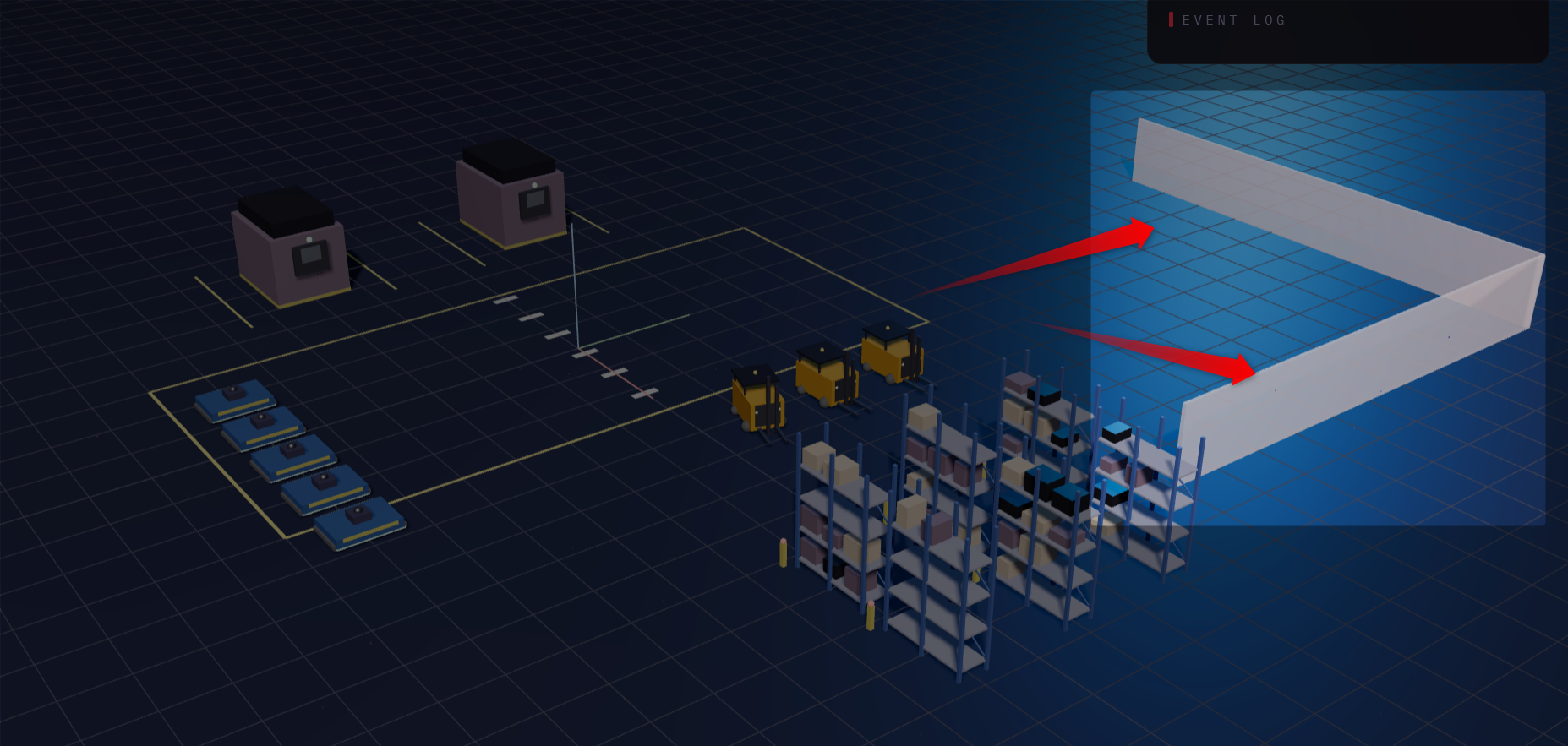
Of course, AnyLogic can animate your models. Quite nicely, actually, if you put a bit of effort in. Often, however, clients and potential stakeholders nowadays expect Omniverse-like rendering with dynamic shadows, textures and more.
And while AnyLogic offers a build-in connector to NVIDIA Omniverse, setting up your own instance of the Omniverse is not trivial. And it can rack up costs if you take it seriously (i.e. want to use it for commercial purposes). Plus: you have to get an RTX graphics card, which are also quite the investment these days...
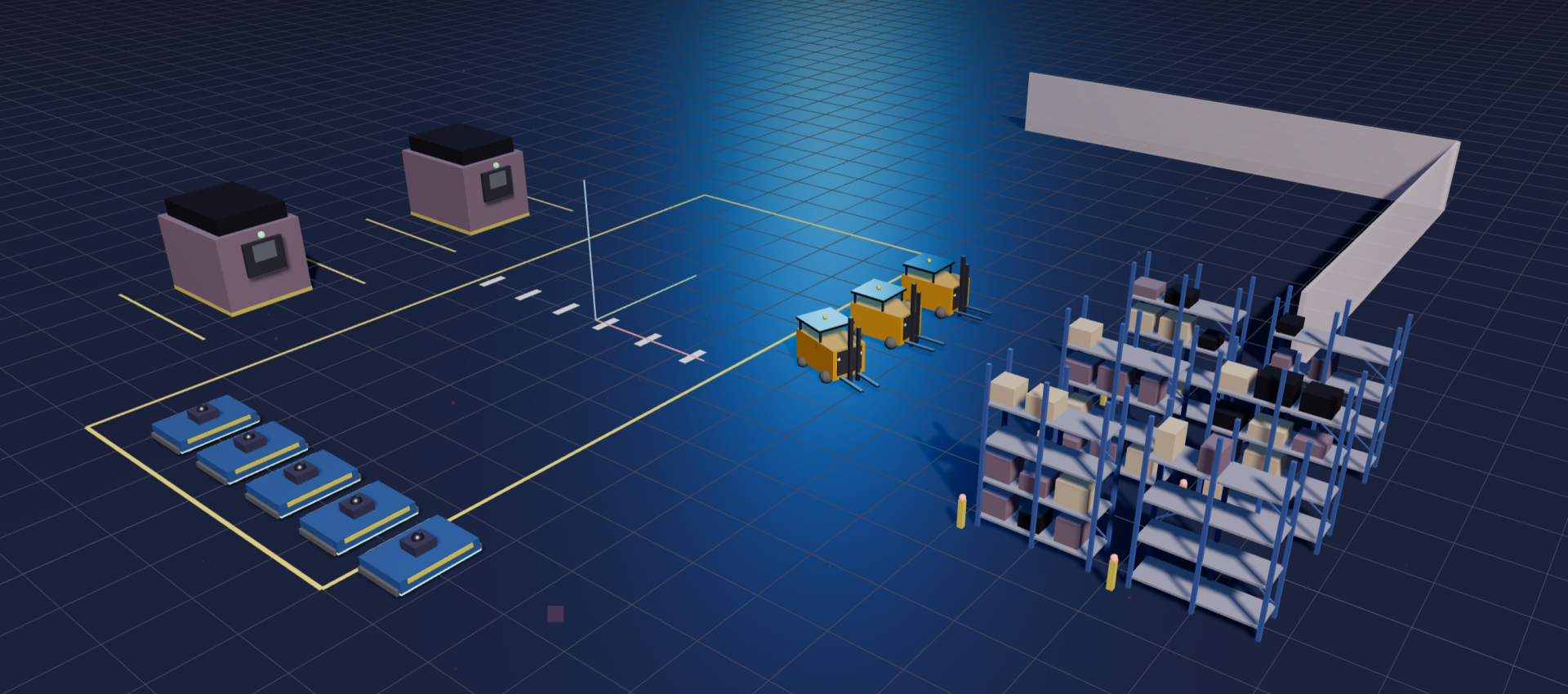
Let's explore how you can render your AnyLogic models live, in your browser, with no dependency and for free. Something that looks like this:
Write your awesome label here.
Before we start...
What this is NOT
The purpose here is NOT to show you the renderer itself or even focus on the actual implementation. Most of it was done with the help of Claude Code.
What this is really about
The real purpose is to show you what is already possible with LLM coding. If you find this useful, I strongly recommend you build your own renderer, there is no need to really use this one. It is neither optimised for production nor tested beyond the basics.
Caveat
All code presented here was created by Claude Code, reviewed and adjusted by me. I can, however, not give any guarantees on its security and stability, test at your own risk :)
What you should do
Review and understand the model I share below and the html renderer
Test both for yourself to get a feeling for how things work
Start designing your own renderer and bridge APIs. Your specific application needs may go beyond this example or need other API calls
The setup
There are only three components needed here:
Your AnyLogic model
a new Java class "SimVizBridge" within your model
the html file to run in your browser
Your AnyLogic model can keep any existing animation, the renderer is entirely independent of it.
The new Java class
You need to add a new Java class called "SimVizBridge" into your existing model. Create a new class and paste this code:
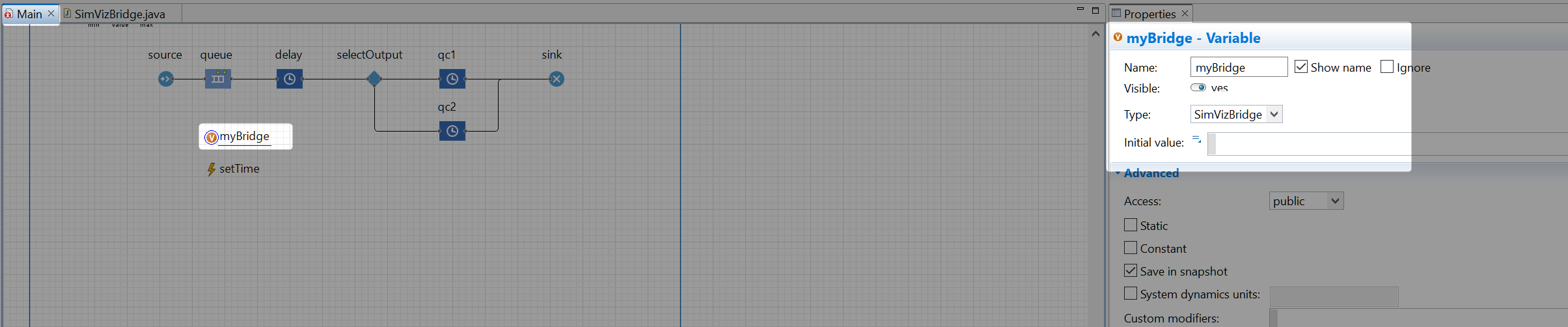
In your model (new or existing), create a new Variable `myBridge` of type "SimVizBridge" on Main (or your root agent type). Keep it empty by default:
On startup of `Main` (or whatever top-level agent you want), instantiate it with a pre-defined port number "4567" (this is hard-coded in the html file as well) and the name of your model. Also, stop the bridge on destroying your model:
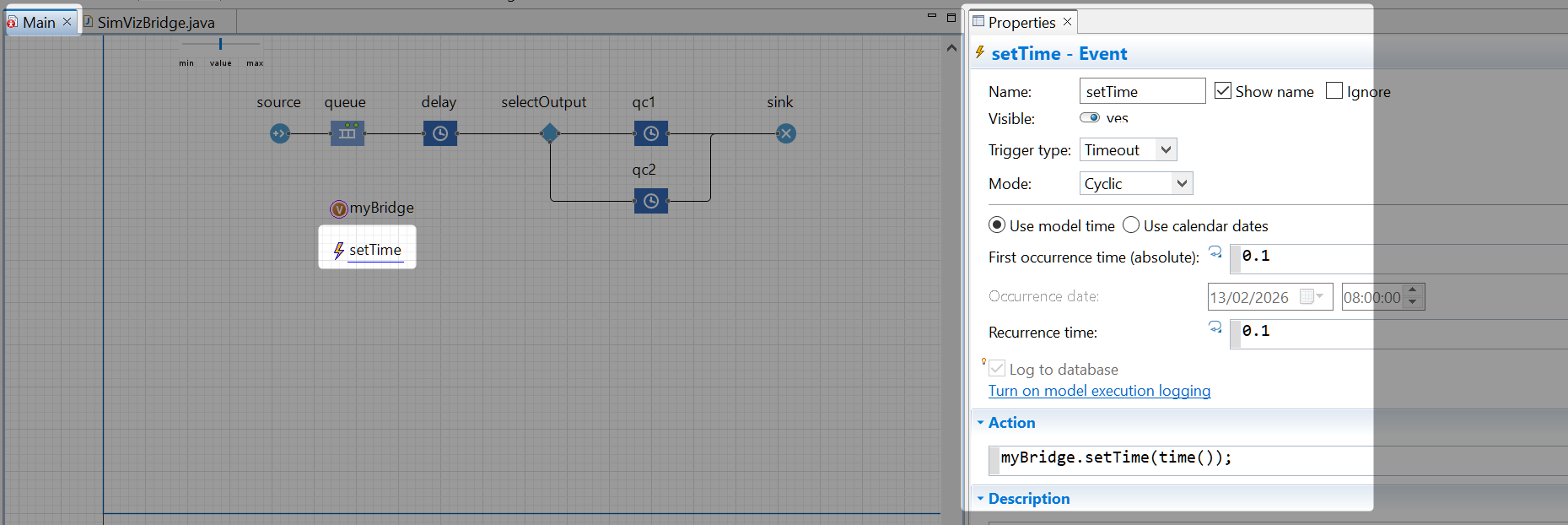
Last, create a cyclic event that updates the renderer time regularly. This will update the clock in the browser animation. The actual cyclic duration is up to you:
The setup above creates an http server on port 4567 (see "SimVizBridge.startServer()"). You can already run your model with this. It does not break anything, you do not need the html browser to run in parallel. So you can safely do the steps above to any model you like.
The html file
Download the zip file below and unzip it. You will get an html file that contains the renderer:
If this does not work, you can also simply create a textfile on your system, rename it to "myRenderer.html" (the ending is crucial) and paste the code below
Running the renderer
Simply open the html file. If your AnyLogic model is not currently running, it will show a "waiting" screen as below:
Simply start your model, typically its Simulation experiment. It can even be started in a non-animated experiment (CustomExperiment, MonteCarlo...). However, ensure you only run 1 model else the renderer (naturally) gets confused.
Once started, the renderer automatically picks up the http server and starts polling it. It will simply render a static, pre-defined scene:
These 3D objects are hard-coded into the html file for demo purposes. Check the html file lines 380–605 to adjust or remove these.
Animating static model layouts
Do I need to close the html file?
You never need to close the browser html file. It automatically returns to the "Waiting" screen if you close your AnyLogic model. It also automatically picks up if you restart a changed model and will animate that.
Before we animate your model logic, let's first add some static layout animation such as your pathways, walls, roads or racks.
Check your "SimVizBridge" Java class in AnyLogic. You will find some public functions under "VISUAL CONFIGURATION" to adjust basic visuals such as background color. Play around with those.
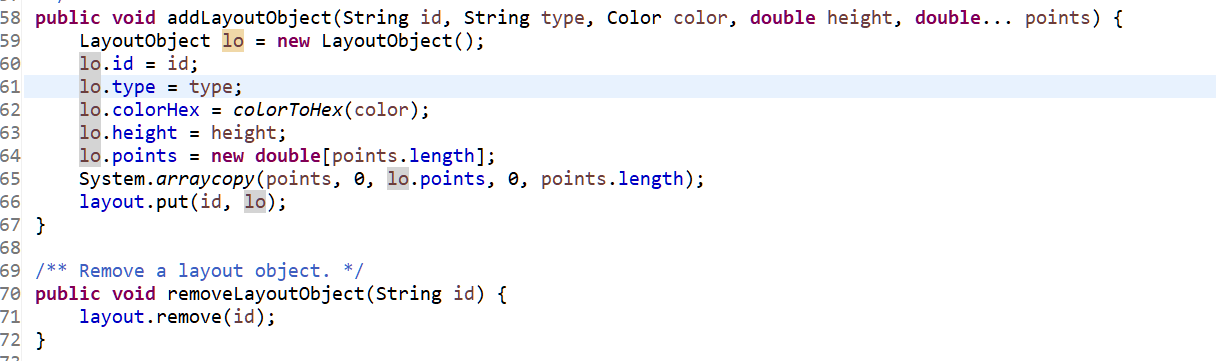
Next, check the function below:
This lets you draw static objects in the renderer world. You can use it to loop across your paths, roads or racks and animate them accordingly.
For now, let's simply draw a simple "L-shaped" wall. You can call these anytime during runtime (to even animate dynamic changes to your layout, if you like). We simply call it on startup of Main as well:
If you run your model, you will now see this rendered:
Animating model logic dynamically
The `SimVizBridge" Java class has 2 more important functions: "updateEntity(...)" and "removeEntity(...)". These are duplicated for resources as well.
In your model logic, you can now refer to agents and resources and animate them as needed. Calling those functions will either create a visual representation (if called for the first time for a given "id") or update their position:
You can call this whenever you create a new agent, for example in a Source block:
This will create a new yellow-green colored cube (governed by the "Entity" keyword, this is hard-coded and can be changed) in the renderer at the origin position (0, 0, 0). Note how we use the "agent.getId()" function to get a unique String identifier. Make sure to avoid using "agent.getIndex()" as this may change at runtime!
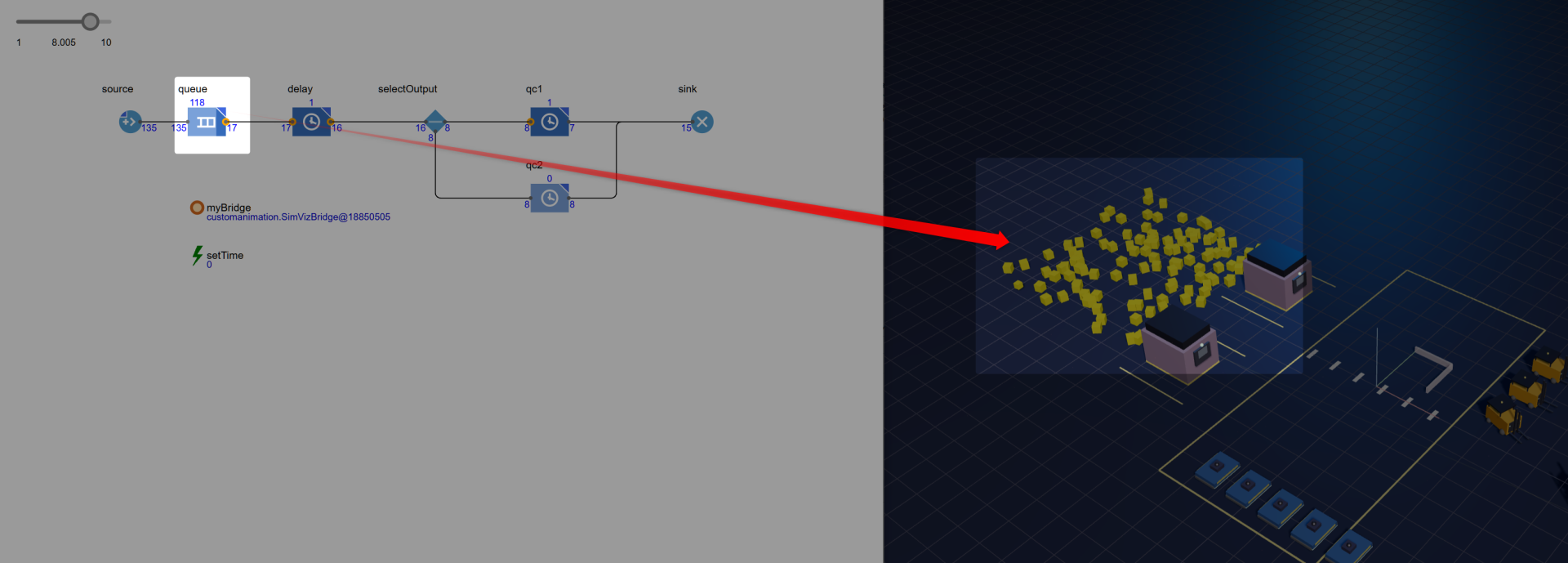
When it is time to move that representation to a new position, change its color or destroy it, you simply call the same function again. For example below, we immediately animate them in a random area, representing the waiting queue:
If you create lots of agents and the queue grows, they now show randomly within a square area:
Similarly, you can move them around in any code box or event. In the example model below, I randomly move them between 2 different positions, also changing their color:
Either try this with your own model or use the model below.
So what now?
This is a demo. It shows you what is already possible when it comes to custom animation beyond native AnyLogic and advanced Omniverse or Unity renderers.
However, you should not simply pick this up and employ it for your purposes (though feel free to, if you reference me).
Instead, understand the basic setup in the Java class, especially the setup of an http server. Then study how the html file regularly pings that server to get updated information for its animation.
With that, you can create your own renderers easily, easily on top of this one or from scratch, using any capable LLM.